
An AI engineer inside SOLIDWORKS.

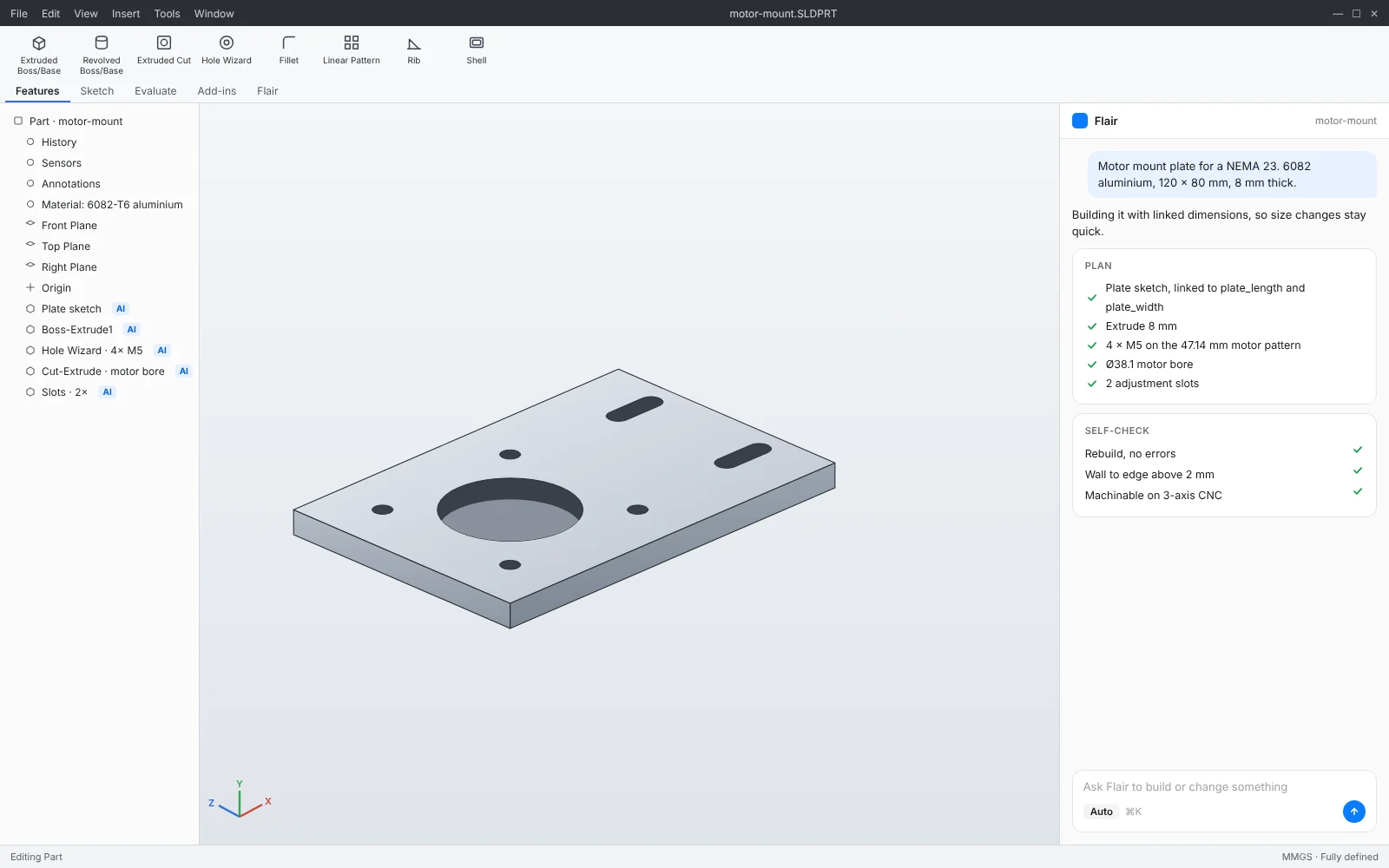
The SOLIDWORKS window with the Flair panel on the right: the request for a motor mount plate, the plan with every step done and the self-check passed.
Example with sample data.

AI modelling

Clean parametric parts from chat

Flair builds ordinary SOLIDWORKS features and names the main sizes as global variables like plate_length. Changing the size later is a couple of edits, not a rebuild.

“Motor mount plate for a NEMA 23, 120 × 80 mm, 8 mm thick”
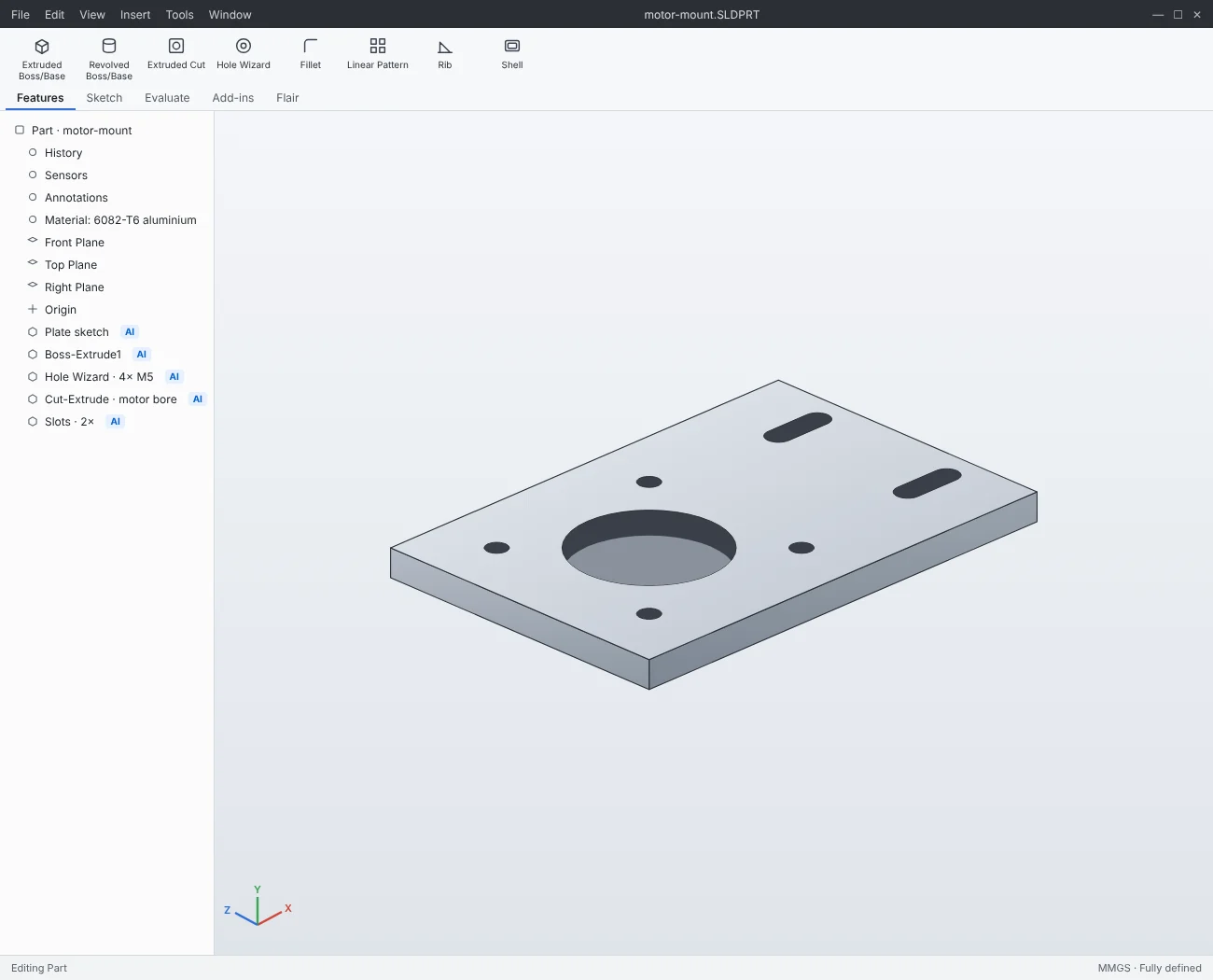
The motor mount plate in the SOLIDWORKS window, its new features at the end of the feature tree.
Example with sample data.

Engineering checks

Rebuild, sketches, interference

After every step Flair rebuilds the part and checks that the sketches it drew are fully defined. After it inserts a component, it checks the assembly for interference, up to 150 components. A failed check goes back to Flair with the reason, and the panel shows what to check.

The self-check card in the Flair panel: the rebuild passed, and the bushing and the housing overlap by 0.4 mm.
Example with sample data.

Decision records

Why each part is the way it is

With every change you keep, Flair saves what was asked and, when it wrote them down, the job, the key trade-off, what was rejected and the sources. Select a feature and press Why is this here?

The Why this is here sheet for Base plate with two dated records, newest first.
Example with sample data.

Your next part, built today.